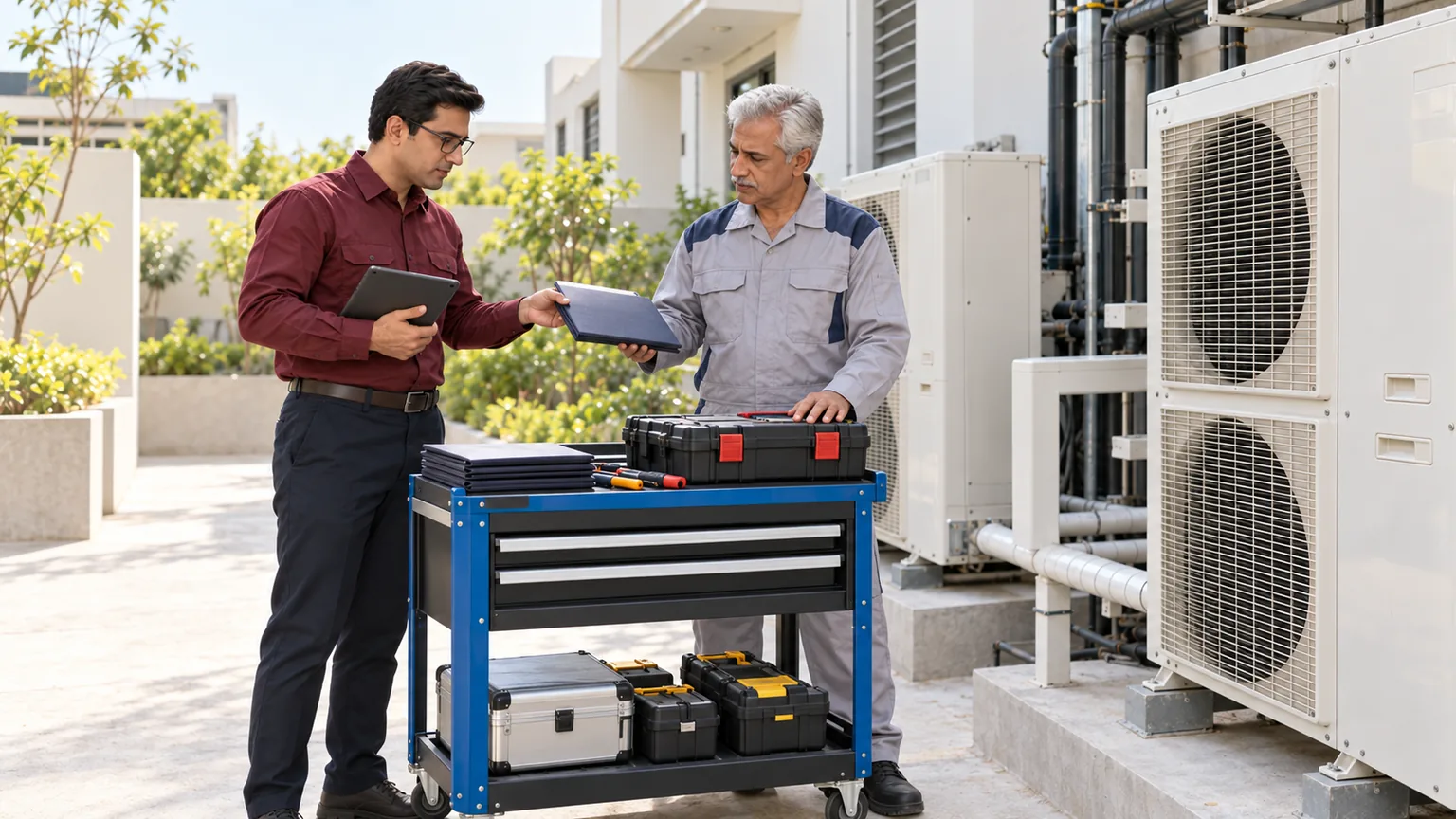
A repair visit starts before the technician arrives and continues after the invoice. ALGONLP can assess field-service software for HVAC and appliance teams that connects the complaint, asset history, scheduling, parts and completion record. Dispatchers see who owns the job, while technicians receive the approved information they need for the visit.
Give technicians the right asset and job history.
Keep extra work tied to an approval.
See return visits and AMC tasks that remain open.
Illustrative workflow.
Workflow comparison
Before and after: how the workflow could change
Illustrative comparisons for a scoped implementation. The proposed workflow depends on agreed processes, supported integrations and staff use.
Gives the technician a clearer brief and the customer a reviewed service arrangement.
Today
A dispatcher books a technician without seeing the asset’s last visit or contract coverage.
Proposed workflow
The service request links asset history and staff-reviewed warranty or AMC status.
How it works
Dispatch checks skills and availability against the job; disputed coverage goes to an authorised reviewer.
Preserves the explanation and approval behind the final charge.
Today
Additional parts and work are agreed verbally and appear unexpectedly on the invoice.
Proposed workflow
The mobile job record separates approved work from proposed additions.
How it works
Technicians record findings and required parts; the authorised person approves chargeable changes before additional work begins.
Makes remaining work visible to the service manager.
Today
An incomplete repair or recurring AMC visit disappears after the first job is marked done.
Proposed workflow
Return visits and planned maintenance remain as linked, assigned tasks.
How it works
Completion checks retain unresolved items; dispatch assigns the next visit against the same asset and contract.
Illustrative example
A practical end-to-end example
Illustrative example: a commercial customer reports an AC fault. Dispatch checks the asset’s AMC history and assigns a qualified technician. The technician records a required part and proposed extra work; staff obtains the required approval. Completion evidence and an unresolved follow-up remain linked to the asset, so dispatch can arrange the return visit.
Where service visits lose continuity
Dispatchers cannot see the customer’s equipment, previous fault or applicable warranty before assigning a visit.
Technicians arrive without the right skill, access instructions or likely parts checklist.
Extra work and parts usage are recorded after the visit, making approval and invoicing difficult.
Annual-maintenance visits, unresolved jobs and repeat complaints are mixed into a single message queue.
Move from complaint to reviewed completion
Open the service request
Record the asset, reported problem, location and contact preference. Separate urgent safety reports for immediate human handling.
Check history and coverage
Review previous visits, serial details and the applicable warranty or annual-maintenance contract (AMC).
Assign and schedule
Select a technician using skill, availability and service area. Confirm the appointment and access requirements.
Prepare and perform the job
Provide authorised job history and checklists. Record findings, parts and proposed additional work for approval.
Review completion
Capture service evidence, customer acknowledgement and unresolved items. Finance reviews chargeable work and receipts.
Plan the next visit
Create follow-up or recurring-maintenance tasks against the asset and contract, with a named owner for open issues.
What the service-team system can include
The scope may include enquiry intake, customer and asset records, dispatch, technician mobile forms, parts usage, estimates, completion evidence and AMC schedules. A focused pilot can cover one city or equipment type.
Inventory and accounting connections depend on supported interfaces. Mobile connectivity, photo storage, customer permissions and technician adoption are assessed before committing to field features.
AI supports the record, with qualified technicians in control
AI can turn voice notes into draft job summaries, classify requests and retrieve approved manual sections. Technicians verify fault findings and safe procedures. Staff approve estimates, parts substitutions and customer updates. Electrical, refrigerant and other safety decisions remain with qualified people; an automated summary cannot serve as a diagnosis.
Is this a useful fit for your business?
A good fit is a multi-technician operator with equipment history, recurring commercial maintenance or frequent handoff problems between dispatch and accounts.
An individual repair technician may need a simpler booking tool. Software should not add record-keeping that the field team cannot realistically maintain.
Pilot one service category
Define the job stages
Review assets, contract rules, technicians, approval points and current service records.
Test field exceptions
Include a reschedule, missing part, warranty disagreement and job requiring a return visit.
Roll out with staff training
Agree completion checks, recurring-task ownership and support responsibilities before adding teams.
Agree the first release
Scope, migration and ongoing operation
What the agreed scope can include
Customer, asset and coverage records
Dispatch, mobile jobs and parts usage
Reviewed completion and maintenance tasks
What needs separate scoping
Autonomous diagnosis, safety sign-off and an unrestricted replacement of accounting or stock systems are outside the pilot.
Data migration
Review asset identifiers, serials, contract rules, technician skills and unresolved jobs before imports.
Training and ongoing support
Train dispatchers, technicians and accounts on mobile completion, extra-work approvals and repeat visits. Agree support hours, issue ownership, backups, recovery checks and change-request terms before rollout.
Useful answers
Questions and answers
Can we distinguish warranty, AMC and paid jobs?
Yes, if your coverage rules and asset history are available. Staff review disputed coverage and any exceptions before customer charges are confirmed.
Can technicians use their phones on site?
A mobile workflow can be scoped around their devices and connectivity. Access controls, offline behaviour and photo handling need practical field tests.
Does AI diagnose the fault for the technician?
No. It may organise notes and retrieve approved information. Qualified technicians make diagnostic and safety decisions using the appropriate procedures.
Can it connect parts usage to our accounts?
That depends on the inventory and accounting interfaces. We agree which system owns stock and financial records, then test returns and corrections.
What determines the project cost?
Technician count, service categories, asset history, warranty/AMC rules, mobile connectivity and parts/accounting links drive the estimate. Storage, hosting and support arrangements are separately agreed.
When could we go live?
We set a phased schedule after discovery and access checks, rather than promise a date before scope is known. A rollout date depends on reliable asset and coverage records and field tests that include parts and return-visit exceptions. Start with the agreed pilot and expand after sign-off.
Discuss a focused first step
Show us how a technician job is handed over
Describe your service types, team size and the point where job history or approval goes missing. Begin with a redacted job card or AMC checklist.